Managing the Dynamics 365 Entity Schema
This section describes how to use the Configuration wizard to select the Entities, Fields and one-to-many relationships to use as the foundation of a Rule Application.
Select an Environment
After you open or create a new Rule Application, you can manage its schema using the Manage Schema wizard. Start by selecting the DYNAMICS tab of the irAuthor ribbon, then click the Manage button.

If your Rule Application is not already identified as a Microsoft Dynamics 365 Rule Application, this will enable the Microsoft Dynamics 365 functionality.
The first panel of the wizard shows any environments that have been defined. If there are none, a new empty environment will display. Below we see three environments (Development, QA, and Production).
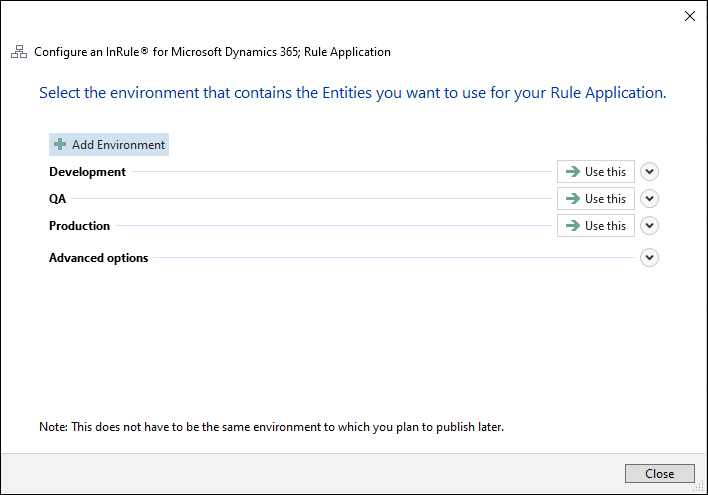
Use this panel to manage your environments, much the same as when you initially configured your environments.
Once you have defined your environments, select the one you want to connect to by clicking the Use this button.