User defined functions (UDFs)
InRule provides users with a way to create helper functions inline in a rule application.
User-Defined Functions (UDFs) have the following benefits:
- Reduce deployment complexity by using custom functions without having to associate a separate .NET Assembly and import its public methods
- Manage changes to functions as revisions of the rule applications that contain them
- Author simple functions not already available with InRule
- Extend imported external function libraries
- Reuse functions across multiple rule applications with irCatalog element sharing
For more information on UDFs see, reference, see the documentation article,User-Defined Functions (UDFs).
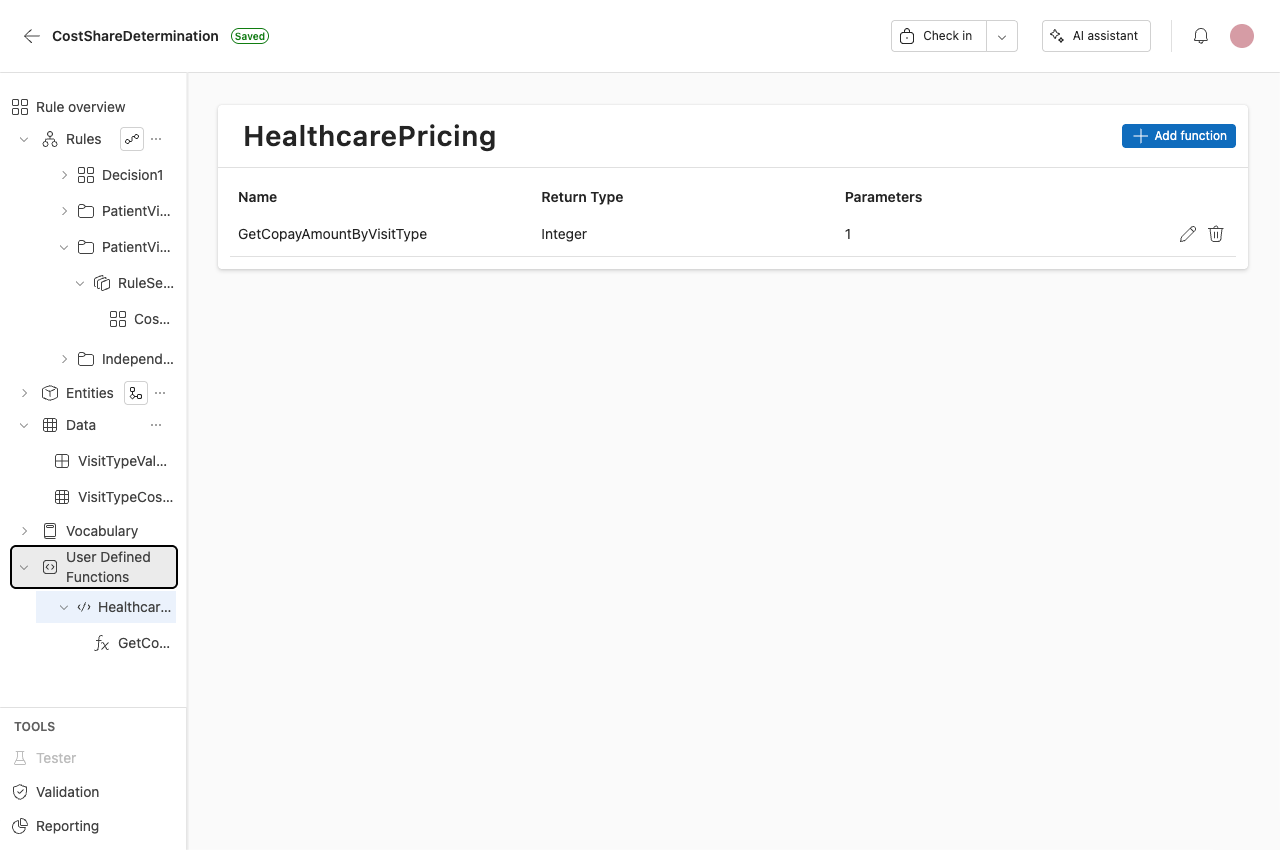
Creating UDFs
User-Defined Functions (UDFs) are organized into libraries in irAuthor.
To insert a library, click the Add Library button. As with other rule application elements, the user may name the library.
To add a User-Defined Function (UDF), right-click on a User-Defined Function Library.
UDF settings
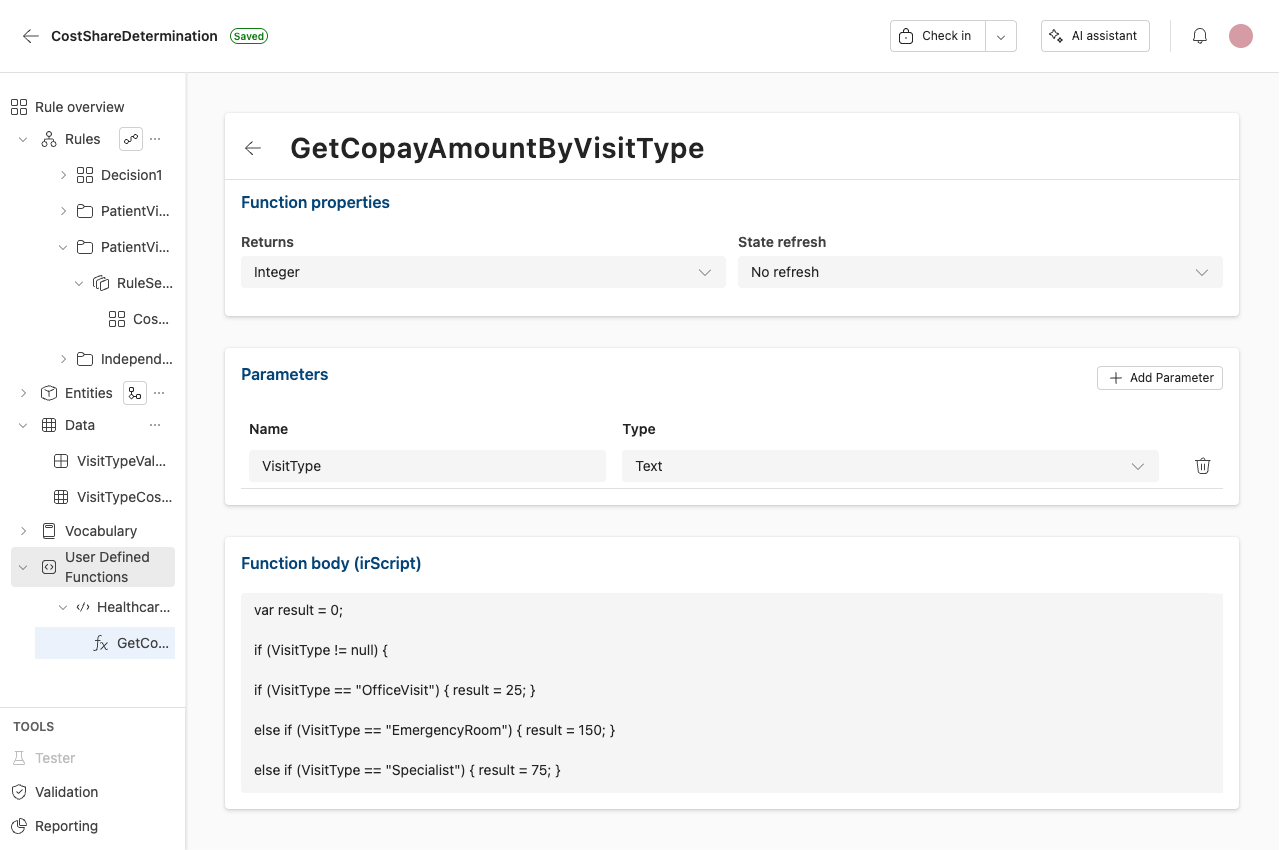
1. Name
The user-configured name of the UDF. Along with the library name, this will be the name used to refer to the function from rules in the rule application.
For example: HealthcarePricing.IsEmergencyVisit
2. Return Type
The data type of the value returned when the function is invoked from a rule.
3. State Refresh
Controls whether entity data is refreshed after a User-Defined Function executes.
This setting is only relevant when a UDF accesses or modifies data from an external, assembly-bound schema.
For UDFs that perform calculations or return values using rule application fields, select No Refresh.
- No Refresh – UDF only computes or returns values
- Refresh All Fields – UDF calls external code that may update many fields
- Refresh Specific Fields – UDF calls external code that updates known fields
4. Parameters
Define the values that are passed into a User-Defined Function when it is invoked. The parameter type tells InRule how the value can be used within the function.
Parameter types:
- Primitive – Parameters sent in that are not previously known by the entity model
- Data – A value list or table located in the rule application
- Entity – When an entity is specified, the function can directly reference fields and calculations from that entity without requiring them to be passed in as parameters
5. Function Body (irScript)
The set of statements that define the function using a dynamic, JavaScript-like language called irScript.
For a complete description of the language, see the irScript Language Reference and User Guide.
Note: The Function Body editor expects only the irScript statements. Do not include the function declaration or braces. The function name, parameters, and return type are defined in the UDF settings.
Using UDFs in rules
UDFs are visible in the Rule Authoring Menu, select the UDF to add it to your rule.
Samples
Samples are available in the article User-Defined Function Samples.