SQL queries
A SQL query (SqlQuery) defines a query that returns rows for use in your rule application. SQL queries are created and edited in the Data section.
Create a SQL query
-
In the Data section, open the ellipsis menu (...).
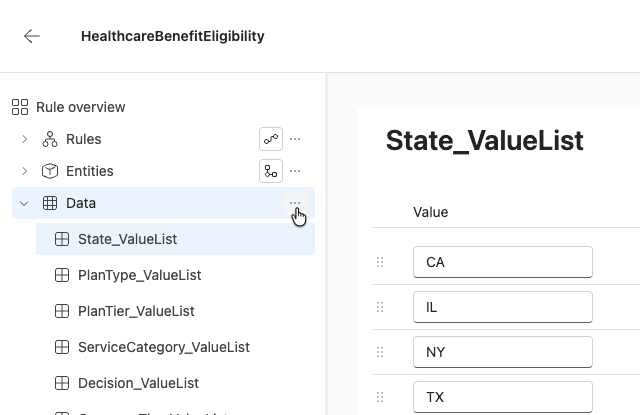
-
Select Add SQL Query.
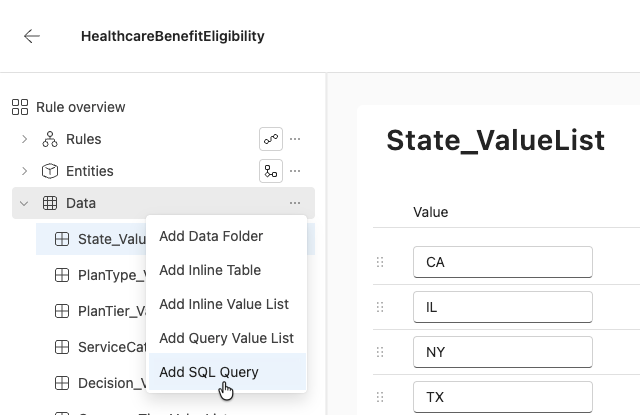
-
Enter a name for the query.
-
Inline/database table is the preselected Source option since database connections are not yet available. See Inline tables if the table the query runs against doesn't exist yet.
-
Enter the SQL statement.
-
Add any parameters the query needs. For inline-table sources, only the Input direction is valid.
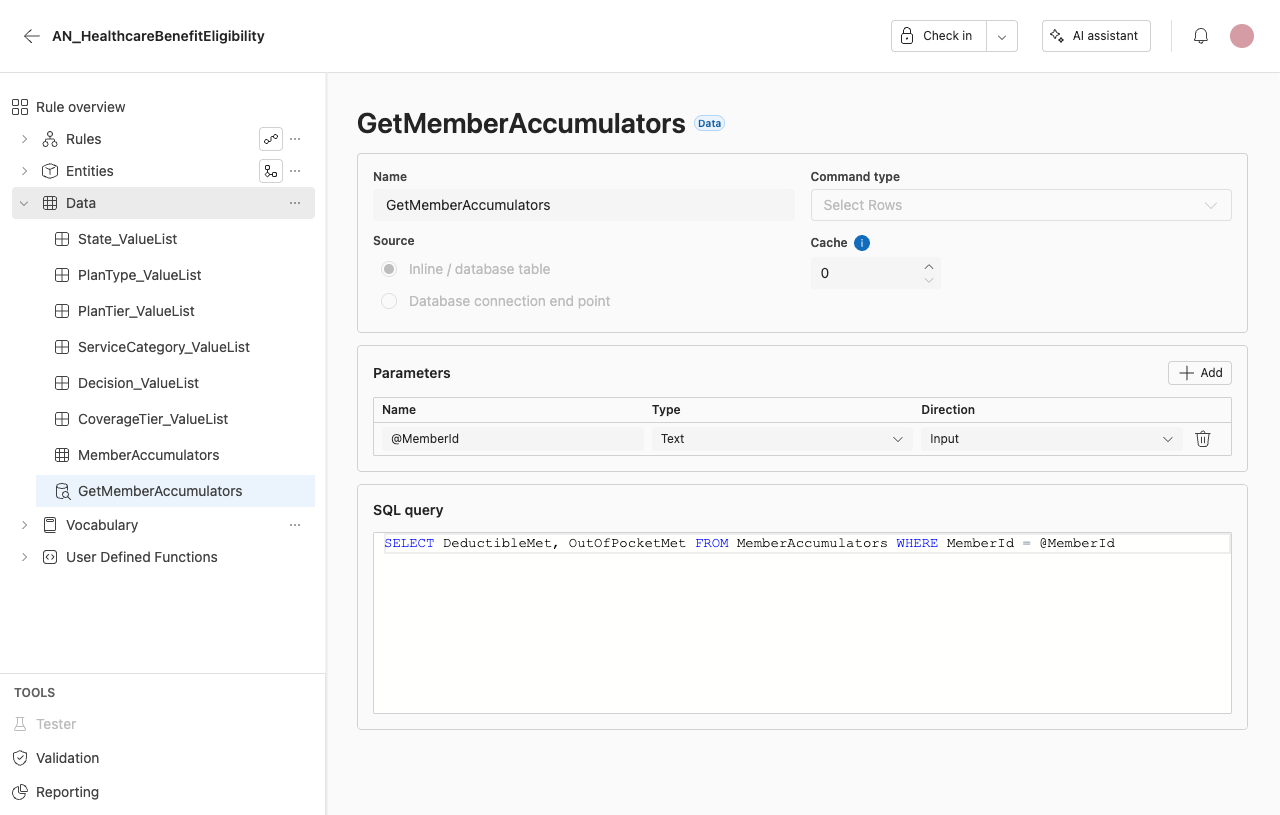
Editor fields
Name Enter the name of the query.
SQL statement Enter the query text.
Source Select the source of the query:
- Inline/database table — active.
- Database connection endpoint — visible but disabled in this release.
Command type Select Rows is the only command type available in this release.
Cache duration Set how long results are cached.
Parameters Define the query parameters in the parameters table. Each parameter has the following columns, and rows can be added and deleted:
- Name
- Type — Text, Integer, Decimal, Boolean, Date, or Date/Time.
- Direction — Input, Output, Input/Output, or Return Value.
For inline-table sources, only the Input parameter direction is valid. The other directions are visible but disabled. They may display values authored in irAuthor Desktop, but they cannot be newly selected.
Limitations
Current limitations:
- SQL queries support inline-table sources only. SQL is not yet ready for external databases.
- The Database connection endpoint source is disabled.
- Command types other than Select Rows are out of scope.
irAuthor Desktop supports a fuller SQL Query feature — external database sources, the Select Value and Execute command types, all parameter directions, and stored procedures. See the irAuthor Data page for that reference.