Value lists
A value list is a two-column lookup made up of values and optional display text. Bind a value list to a field to populate a dropdown or to limit the field to a set of valid values.
For example, a list of States with the display text being their postal codes.
irAuthor Web supports two kinds of value list, both created and edited in the Data section:
- Inline value list — you enter the values directly.
- Query-driven value list — the values come from the columns of an Inline Table.
Inline value lists
Inline value lists are two-column lists made up of values and display text that you enter directly.
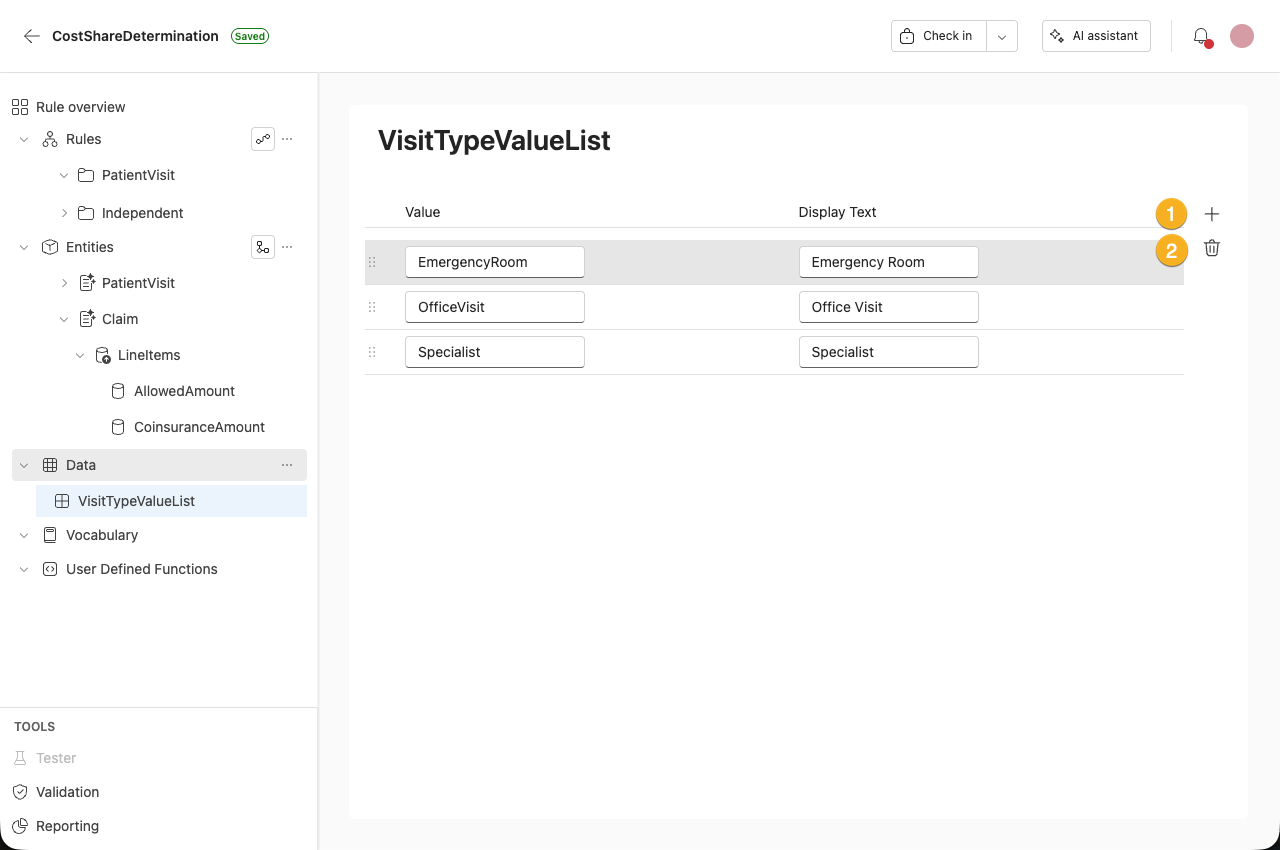
 Add - Adds a new row.
 Delete - Deletes the row.
You can rearrange rows by dragging and dropping them.
Export an inline value list
To export an inline value list:
- Open the data menu from the navigation pane.
- Select Download.
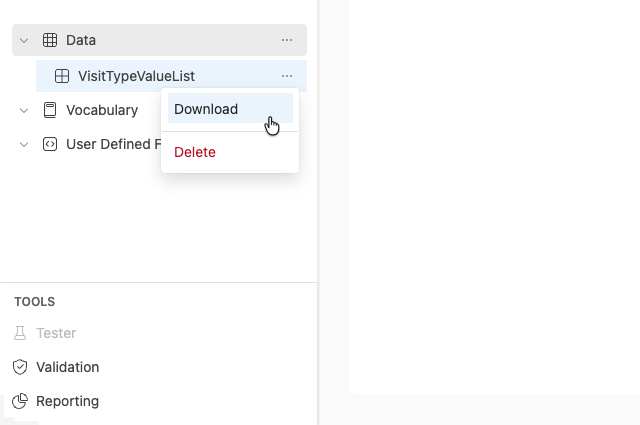
We currently only support creating and exporting inline value lists. Importing is not available.
Query-driven value lists
A query-driven value list (QueryValueList) produces a value list from an Inline Table, rather than from values you enter by hand.
Create a query-driven value list
To create a query-driven value list, do one of the following:
- From the Data section, open the three-dot menu and select Add QueryValueList.
- In the empty state, select No Data Yet, Let's add One, then select Add QueryValueList.
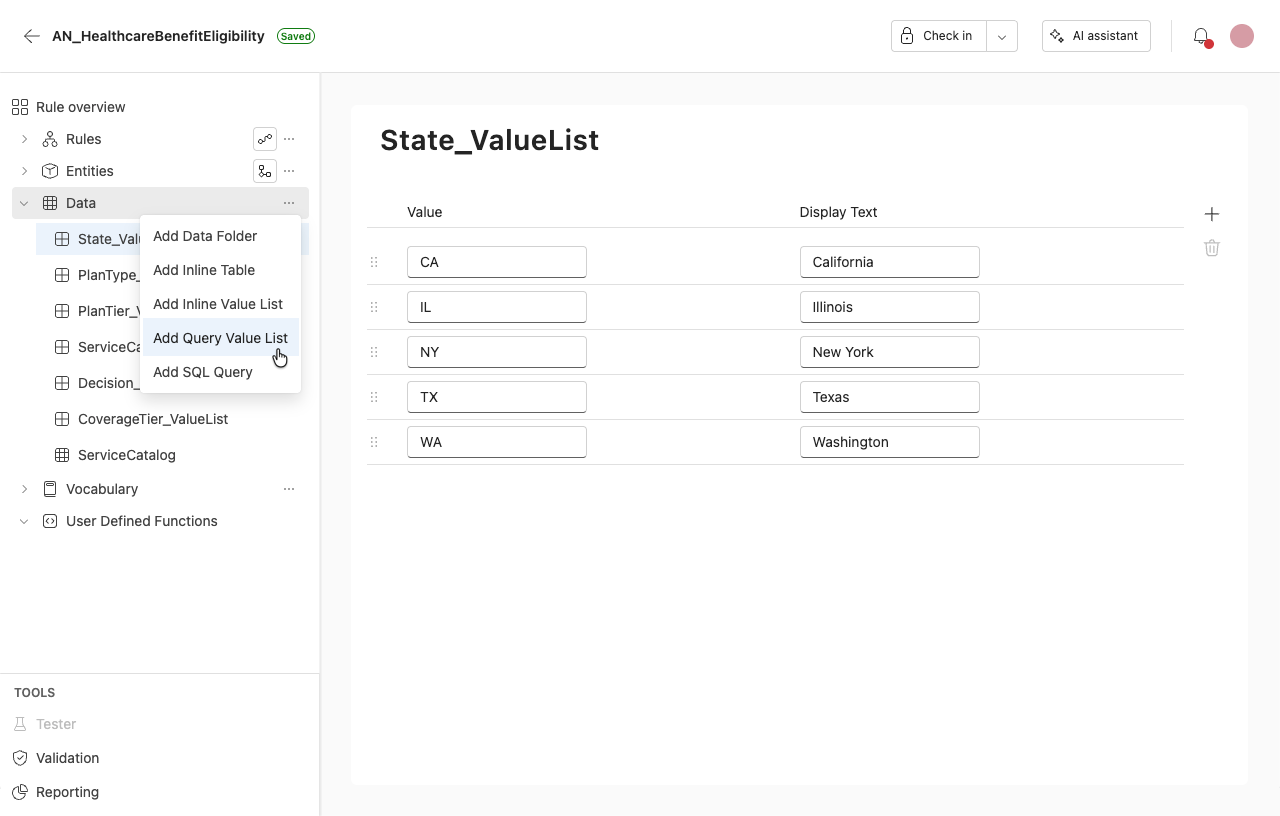
Editor fields
Name
Enter the name of the value list.
List source
Select the Inline Table to build the list from.
Value column
Select the column whose value is stored. Disabled until a List source is selected.
Display text column
Optionally, select the column shown to the author. Disabled until a List source is selected.
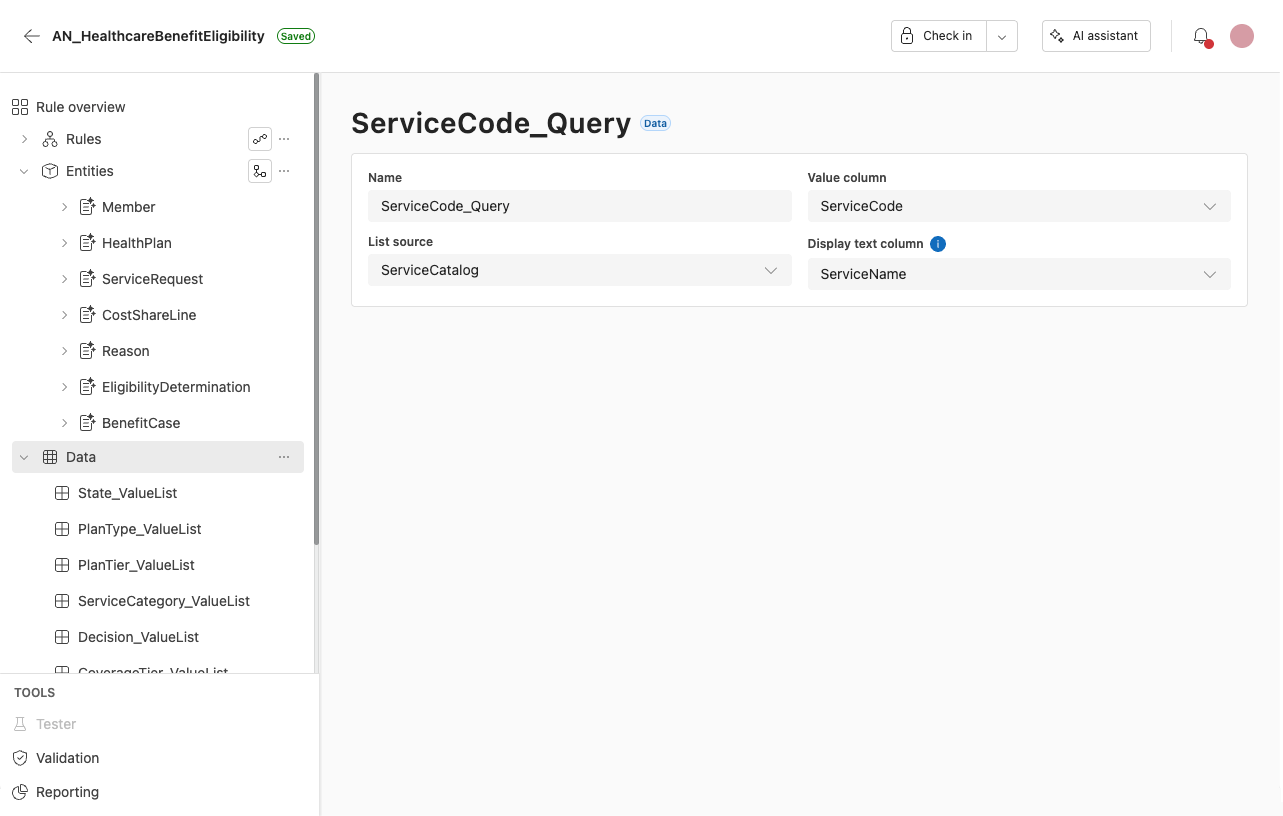
Use a query-driven value list when authoring rules
To use a query-driven value list, bind it to a field. This works the same way as binding any value list.
- Open the entity and select the field you want to bind.
- From the field's Value list dropdown, select the query-driven value list.
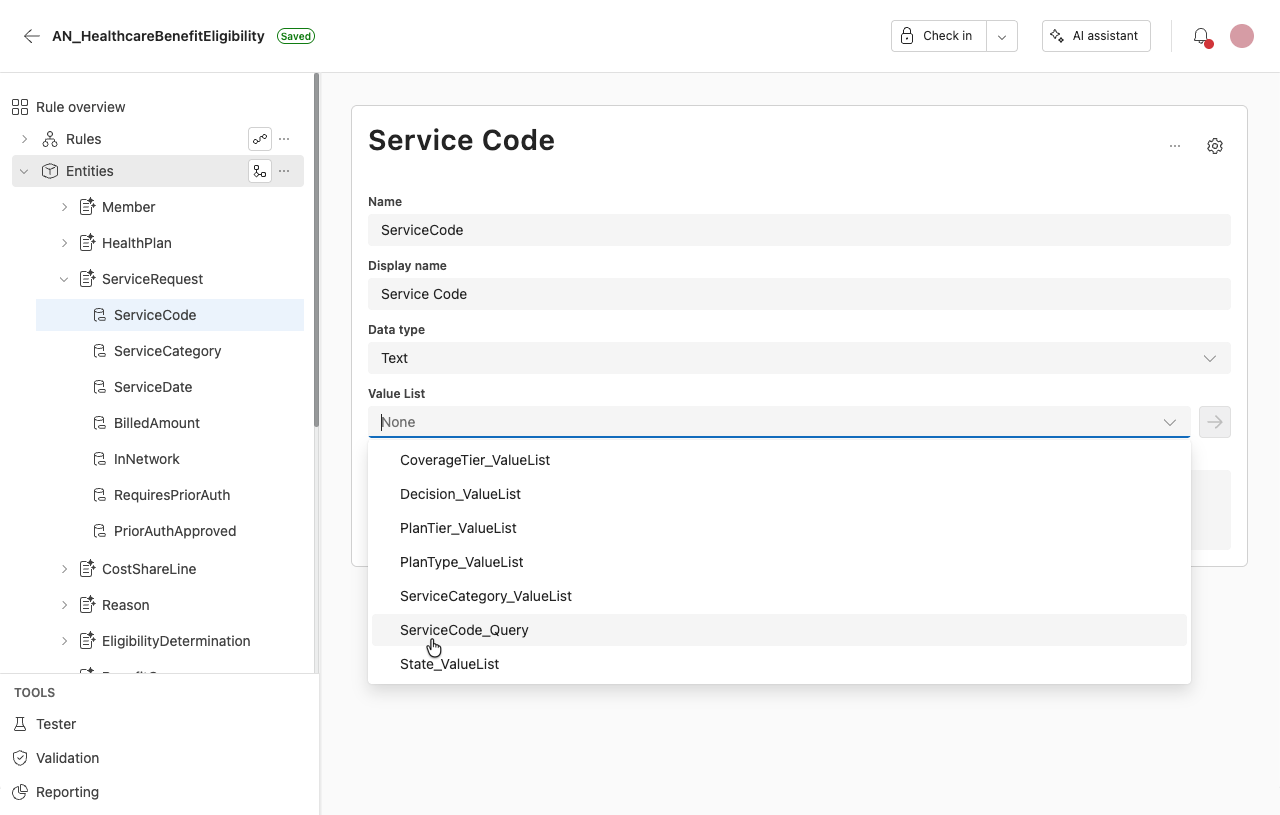
Once bound, the field's dropdown shows the resolved values: the Display text column is shown, and the Value column is stored.
Delete a query-driven value list
To delete a query-driven value list, open its menu in the data panel and select Delete.
Deleting a list that is still referenced is allowed. The rule application then fails validation on save. This is the same behavior as Inline Tables.
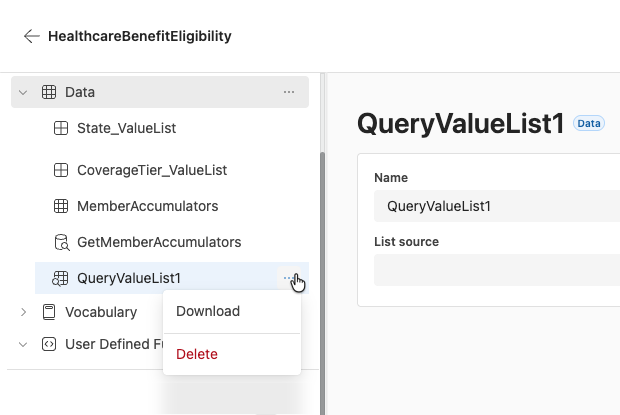
Currently, the source of a query-driven value list must be an Inline Table. Using a SQL query as the list source is not yet supported. (In irAuthor Desktop, a Query Value List can also be sourced from a SQL Query.)