Inline tables
We currently only support the creation and exportation of inline tables. Importing is not available.
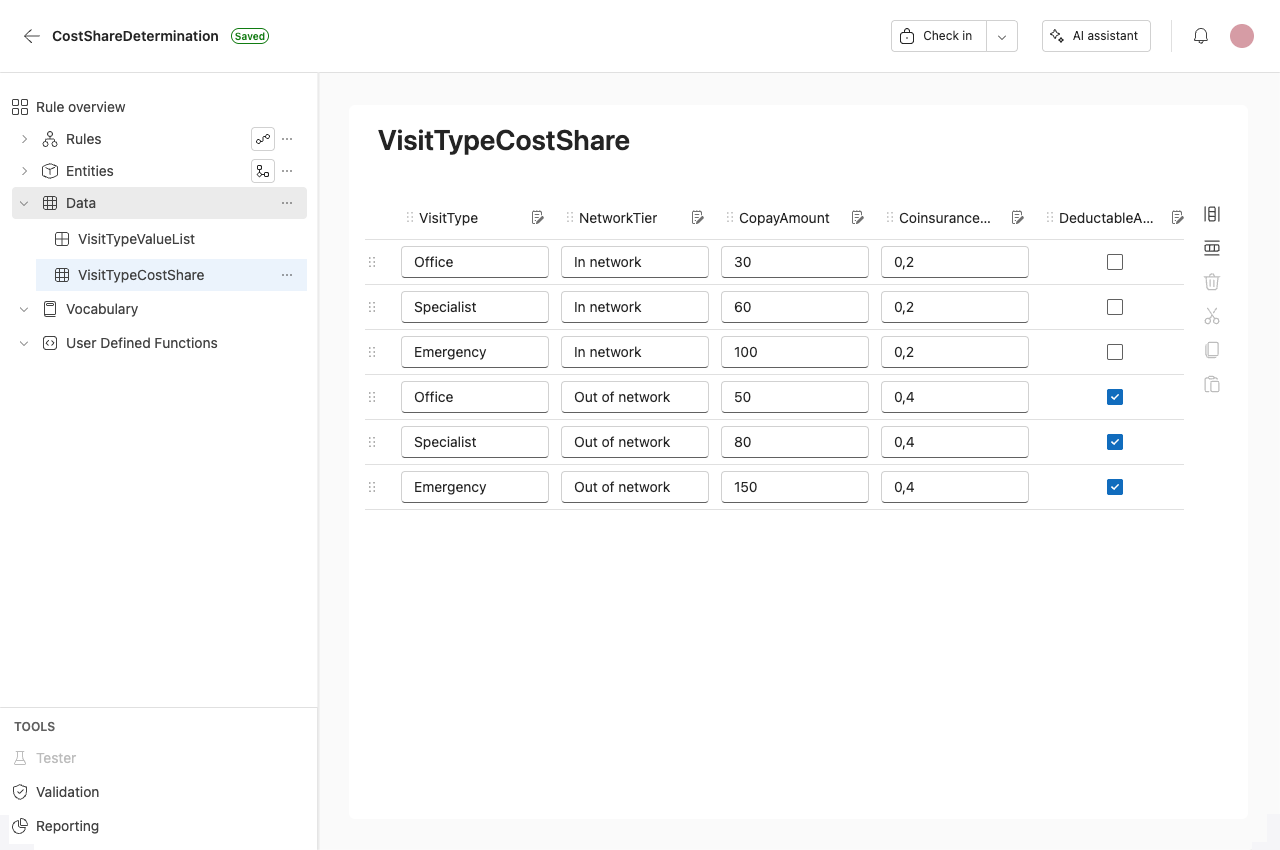
Inline tables are multidimensional tables composed of schema. The schema determine the number and type of columns.
Export an inline table
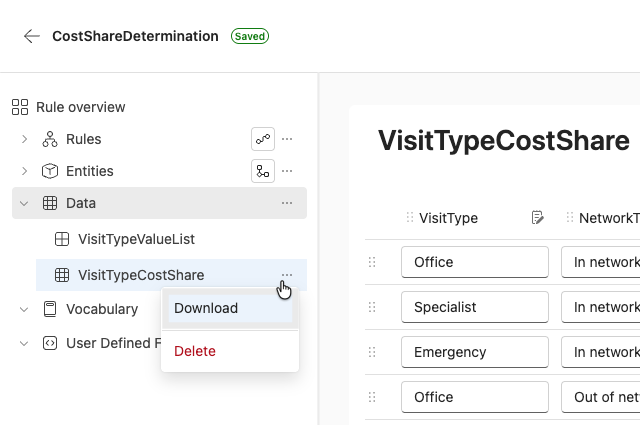
To export an inline table:
Click on the ellipsis shown next to the Inline table's name when you hover over it in the navigation pane and select Download.
Editing inline tables
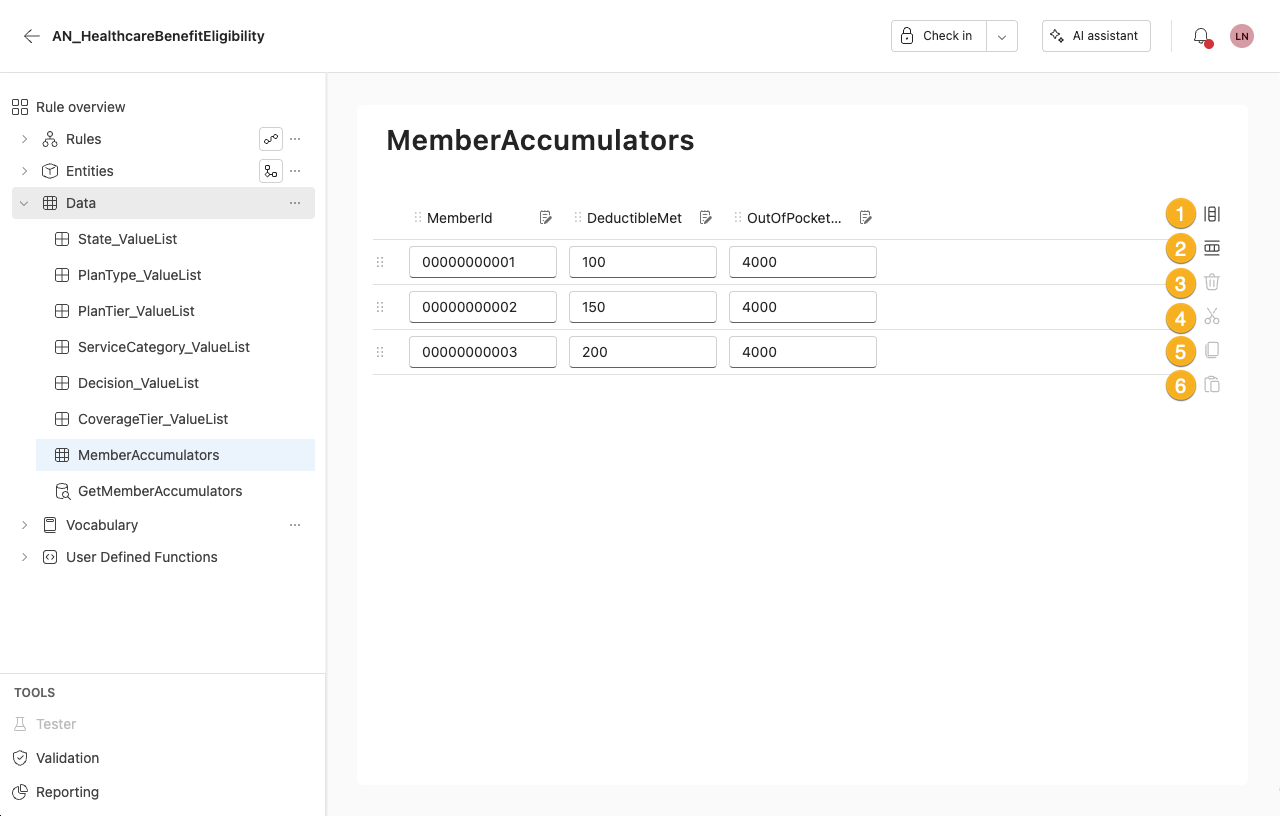
1. Add a column
Adds a new column.
2. Add a row
Adds a new row.
3. Delete
Deletes a row.
4. Cut
Cuts the row from the table and adds it to your clipboard.
5. Copy
Adds the row to your clipboard.
6. Paste
Pastes the row to the table.
Edit columns and rows
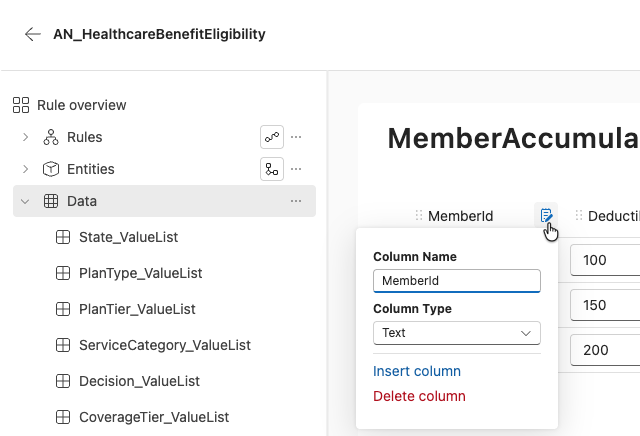
To edit a column, click on the clipboard icon next to the column name.
Column editor
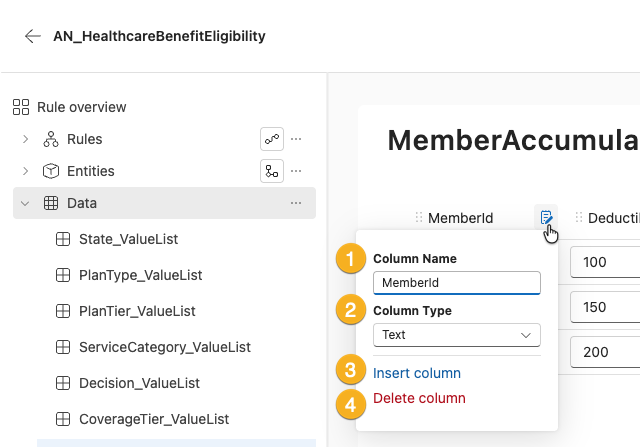
In the column editor, you can:
1. Name the column
Enter the column name.
2. Select column type
Choose from:
- Boolean
- Date
- Number
- Integer
- Text
3. Insert a new column
Inserts a new column.
4. Delete the current column
Deletes the current column.
You can rearrange rows by dragging and dropping them.
Click on a field to add information.