Rule Application Reports
Reports provide an overview of the structure and content of components in a Rule Application.
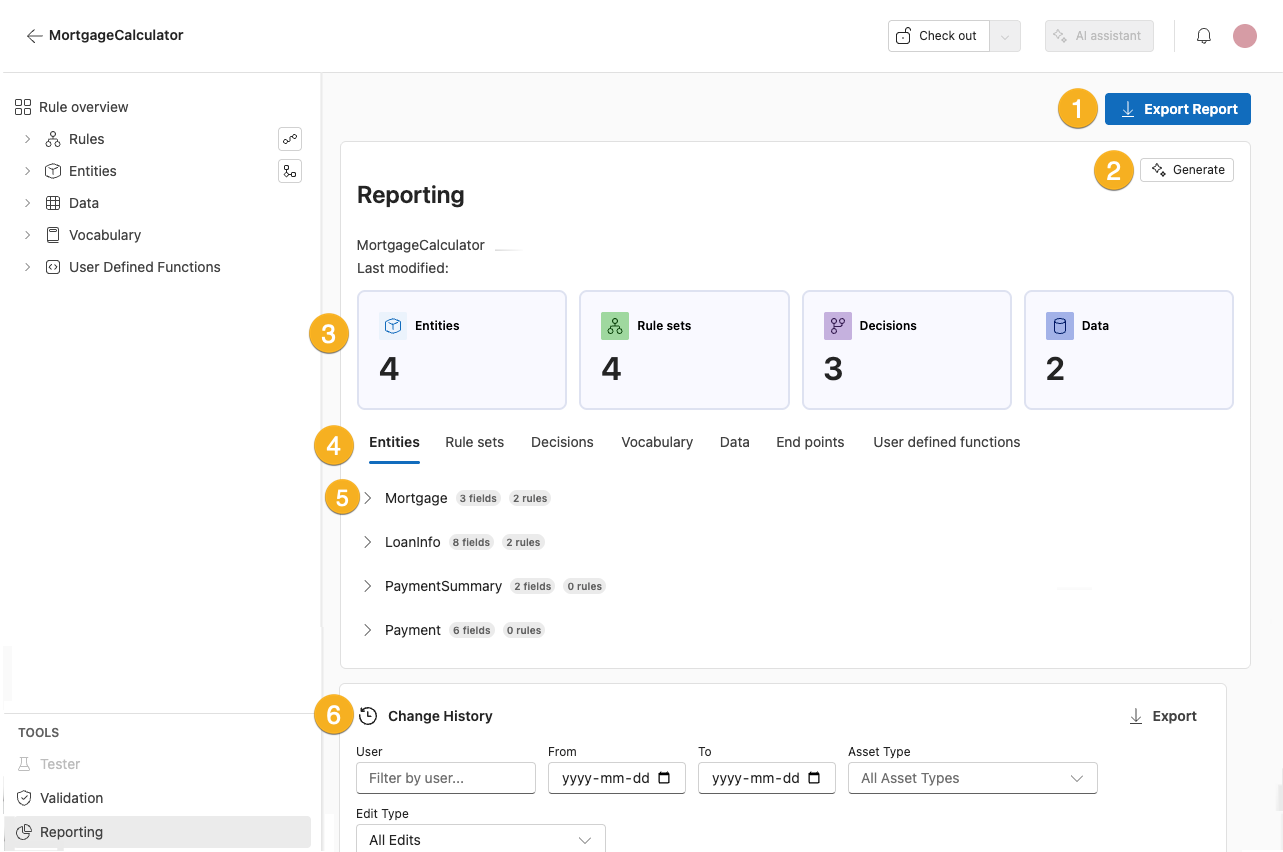
 Export report - Click here to download the report as a PDF.
 Generate - Click here to create an AI summary of the rule application’s business logic in plain-language.
 Component highlights Clicking on the Entities, Rule sets, Decisions, or Data cards will direct you to that location in the Rule application.
 Component tabs Select a component tab to see more detailed information about that component.
 Component details Component menus with expanders allow you to view or hide more detailed information.
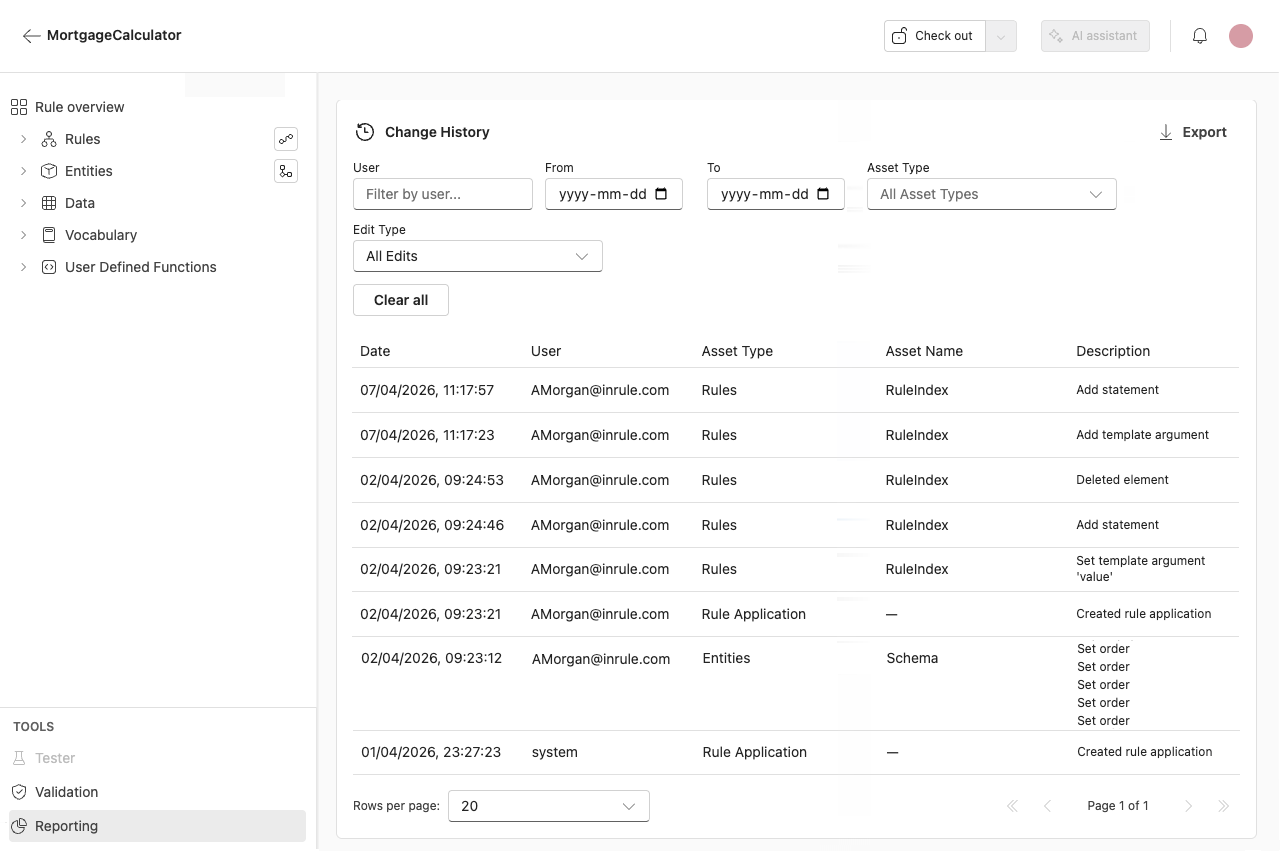
 Change history log Scroll to the bottom of the Rule application report to review all edits to the Rule application. A description is provided in plain-language so authors can quickly understand what changed without inspecting raw data. Each edit is listed with its catalog revision, and the comment recorded at check-in. It is possible to export the change log as a CSV or PDF.
When you have filtered the change history, use Clear all to reset every filter at once.