Introduction to Azure Marketplace
The following InRule components are available for Azure Marketplace.
| Component | Description | Deployment assets | Help |
|---|---|---|---|
| Decision Services | Industry-leading platform for scalable, secure decision automation. | Azure Marketplace listing, ARM template | Decision Services API Guide |
| Catalog Service | Central repository for storing, managing, and deploying rule applications. | Azure Marketplace listing (bundled with Decision Services), ARM template | irCatalog for Rule Management |
| Catalog Manager | Administrative UI to manage rule applications, users and permissions. | Azure Marketplace listing (bundled with Decision Services), ARM template | Overview of the irCatalog Manager Website |
| InRule for Microsoft Dynamics | Enterprise-proven decision automation for Microsoft Dynamics and Power Platform. | Azure Marketplace listing, ARM template | InRule for Dynamics 365 Deployment Guide |
| InRule for Salesforce | Enterprise-proven decision automation for Salesforce. | Azure Marketplace listing, ARM template | InRule for Salesforce Deployment Guide |
There are two methods available for deploying self-hosted Decision Services:
- Use the InRule listing on Azure Marketplace Azure Marketplace offers a simpler, UI-driven process that guides you through deployment.
- Deploy using the provided ARM template A deployment using the ARM template will provide you more control over settings and configuration.
Authentication
Self-hosted
For a self-hosted deployment of Decision Services, you will need to include the API key provided during the deployment configuration as the "inrule-apikey" header value on your requests to be able to authenticate to the service.
Example:
"inrule-apikey": "yourapikey"
Swagger
If you want to make use of the Swagger UI for your Decision API, you will need to include the API key as a query string in the URL. The query string key should be the API key and the value will be your API key. Below you can see an example of a URL that includes the query string.
Swagger Page URL:
https://<domainname>/api/swagger/index.html?inrule-apikey=<apikey>
Swagger Json URL:
https://<domainname>/api/swagger/swagger.json?inrule-apikey=<apikey>
- Replace the <domainname> with the default domain listed on the overview page of your deployed resource.
- Replace the <apikey> with the API Key value you included in the configuration when deploying your self-hosted Decision Services.
The same approach applies to view the Swagger for the Rule Execution API.
Health check configuration
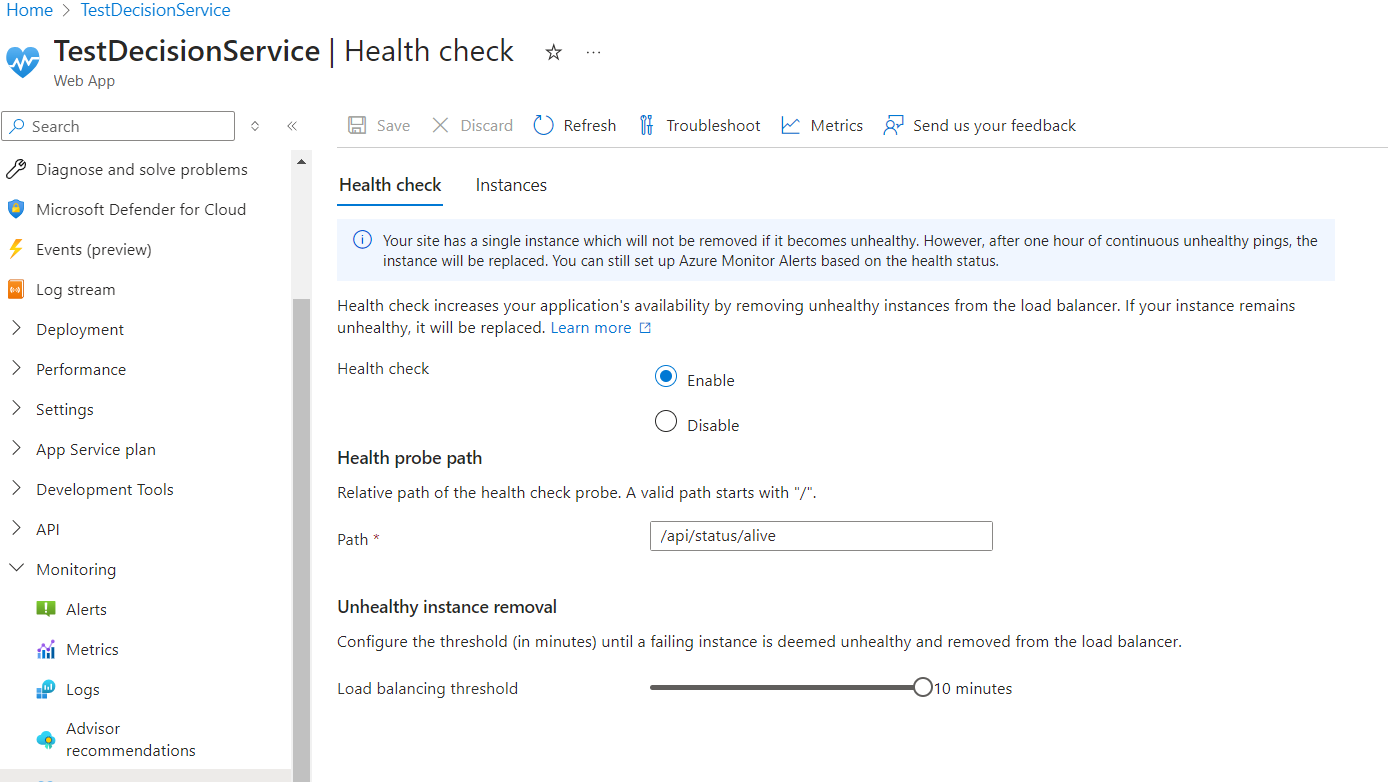
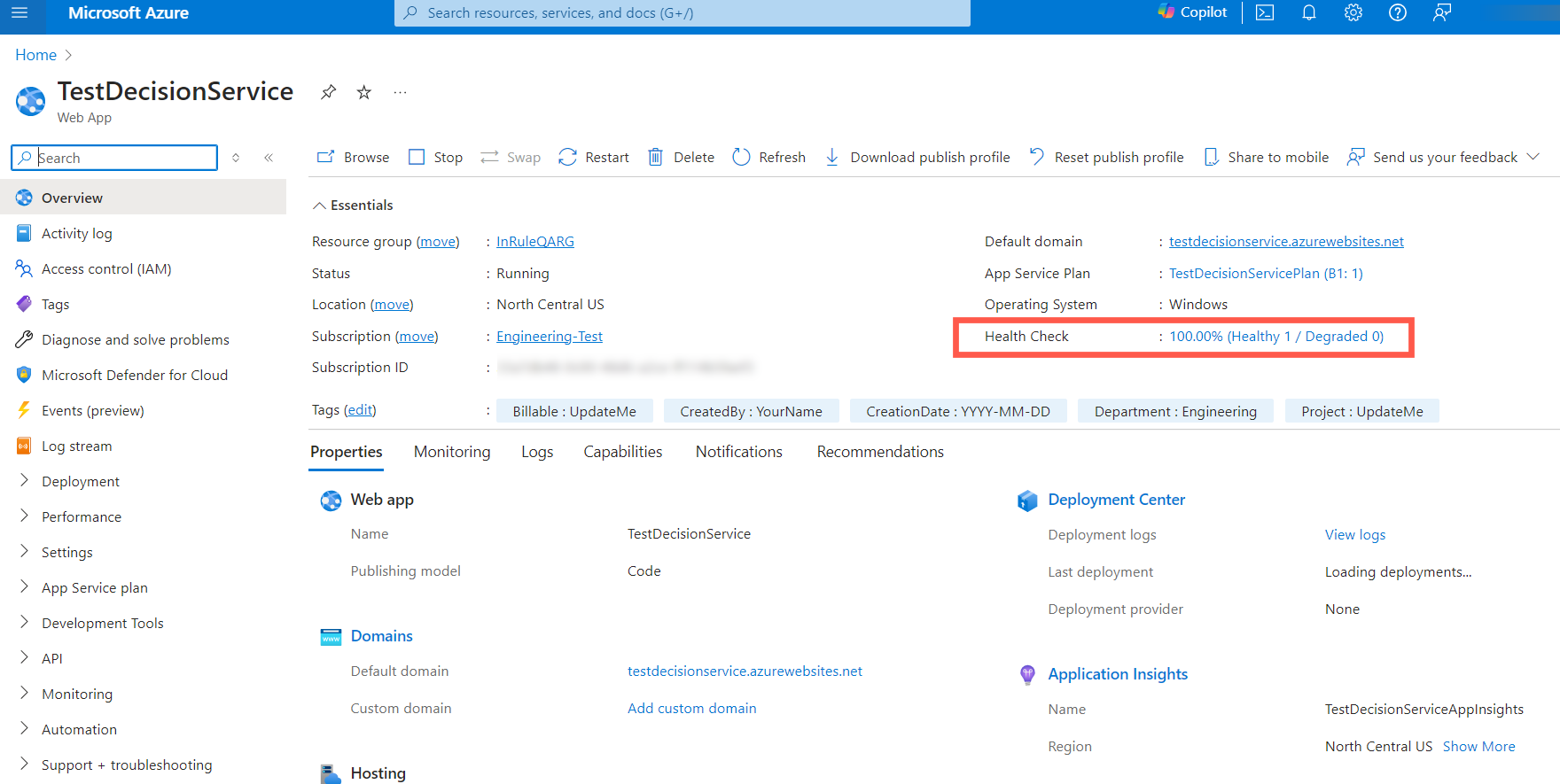
Health check will be automatically enabled and configured for self-hosted deployments of Decision Services. By default, the health check will be directed at the API/status/alive endpoint. If you would like to change the health check configuration, you will need to navigate to the overview page of your deployed resource and click the link displaying the health status.
This will take you to the health check configuration page where you can
- Enable/Disable the health check
- Change the endpoint being called
- Set the load balancing for unhealthy instances