Converting irCatalog/irServer from HTTP to HTTPS
The below is also referenced in InRule's Install helper guide located here:
Pre-requisites:
- You must have already installed an SSL certificate (purchased or self-signed) on the IIS server
- Access/permission to edit the web.config files for the catalog or rule execution server. (Admin permissions on the computer.)
IIS Setup
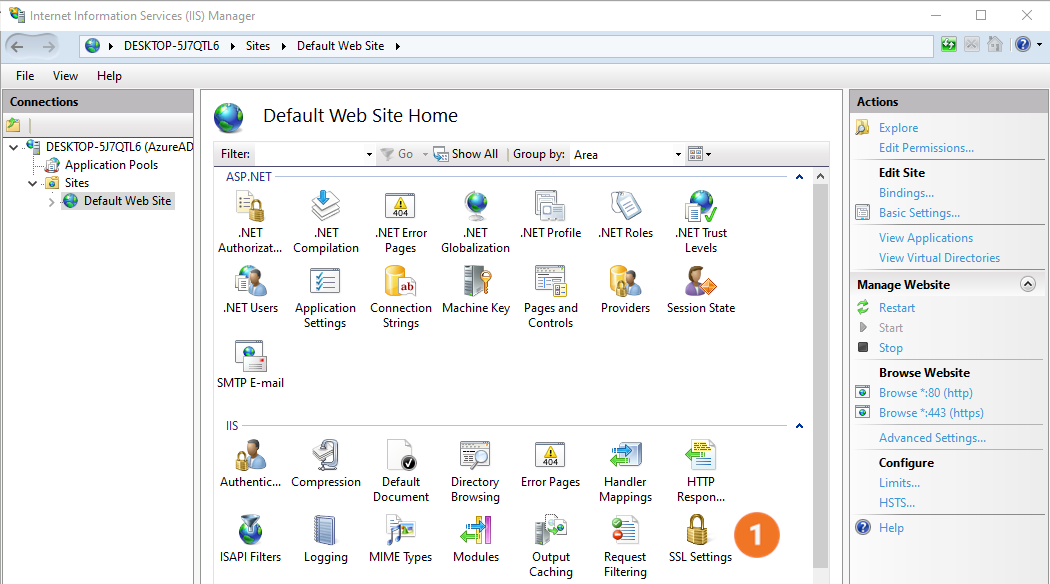
As shown below, open the IIS management console and select the desired catalog or rule execution server
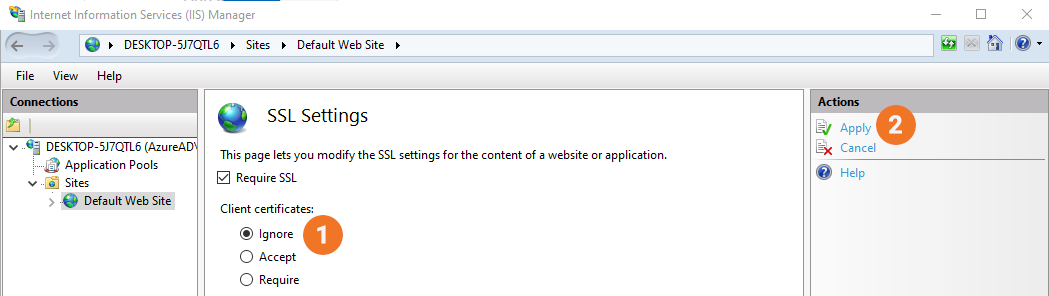
- Select SSL Settings.
- Select Require SSL. (For irCatalog, you will not be able to connect from irAuthor or irCatalog Manager unless you select either Ignore or Accept client certificates.)
- Click on Apply at the top right of the screen.
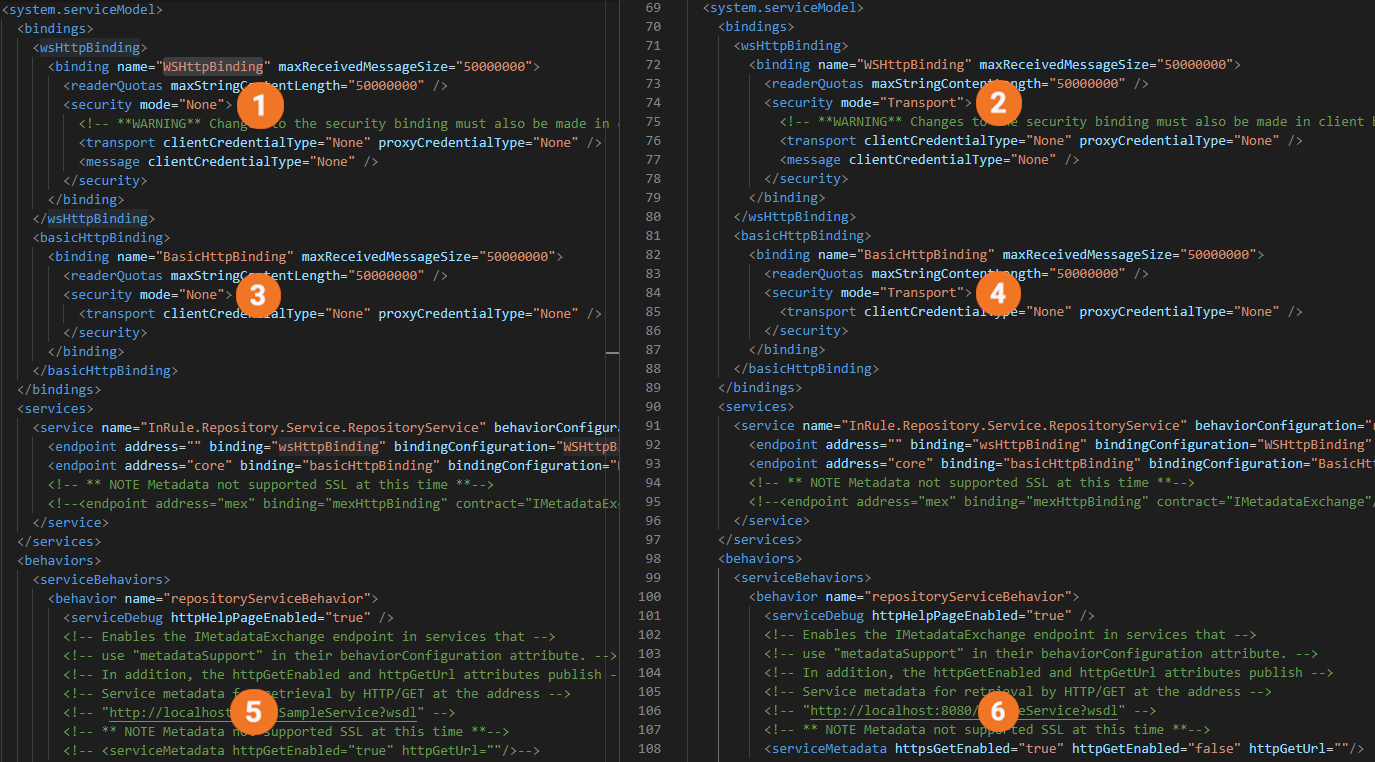
For both the catalog manager and the execution service the below changes are required in the web.config file.
- Security mode must be set to Transport from None for both WSHttpBinding and BasicHttpBinding.
- httpsGetEnabled setting must be added with a "true" value.
<serviceMetadata httpsGetEnabled="true"" httpGetEnabled="false" />
For the rule execution service, the two changes must each be made in both the catalog service as well as the execution service web.config.
- Change " httpGetEnabled" to "false" and add httpsGetEnabled=true"
- Under " webHttpbinding" and " basicHttpBinding" change the two occurrences of "security-mode" from "None" to "Transport".